
Features / Hospitality
NeoPOS for hospitality
Tables, kitchen and payments, working as one.
For cafés, restaurants, takeaways, pubs and clubs. Take the order, send it to the kitchen and settle the bill – without the double-handling.
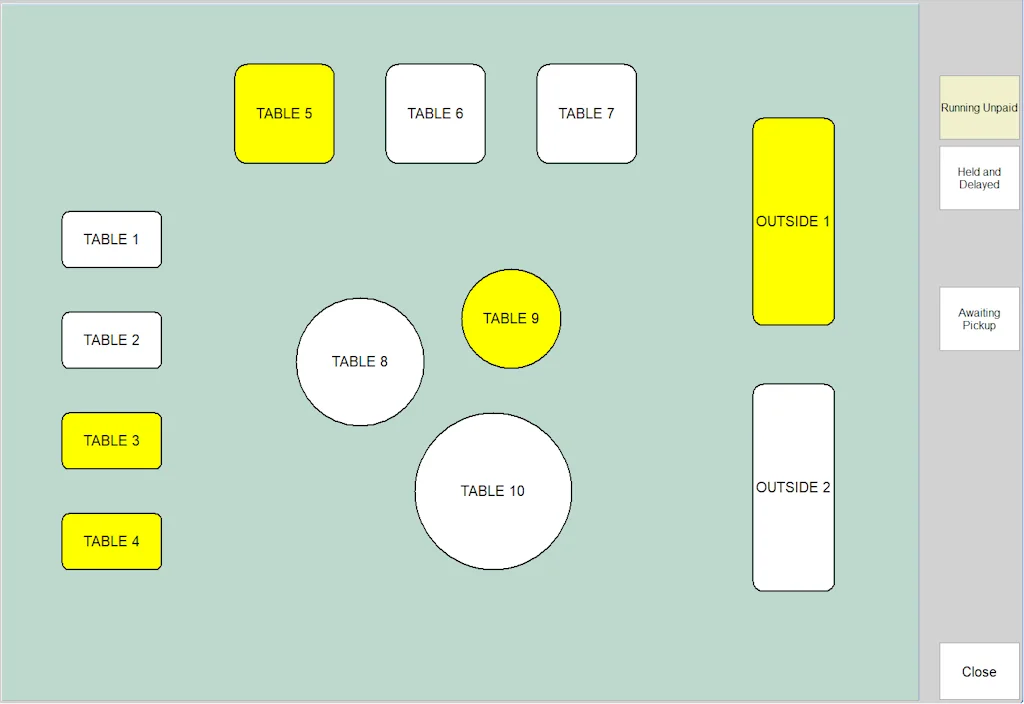
Front of house
Your floor plan, on screen
- Draw your tables to match your venue – round, square, long
- Move and merge tables in seconds
- Record the number of diners for each table
- Print a bill, then split it or split the payment
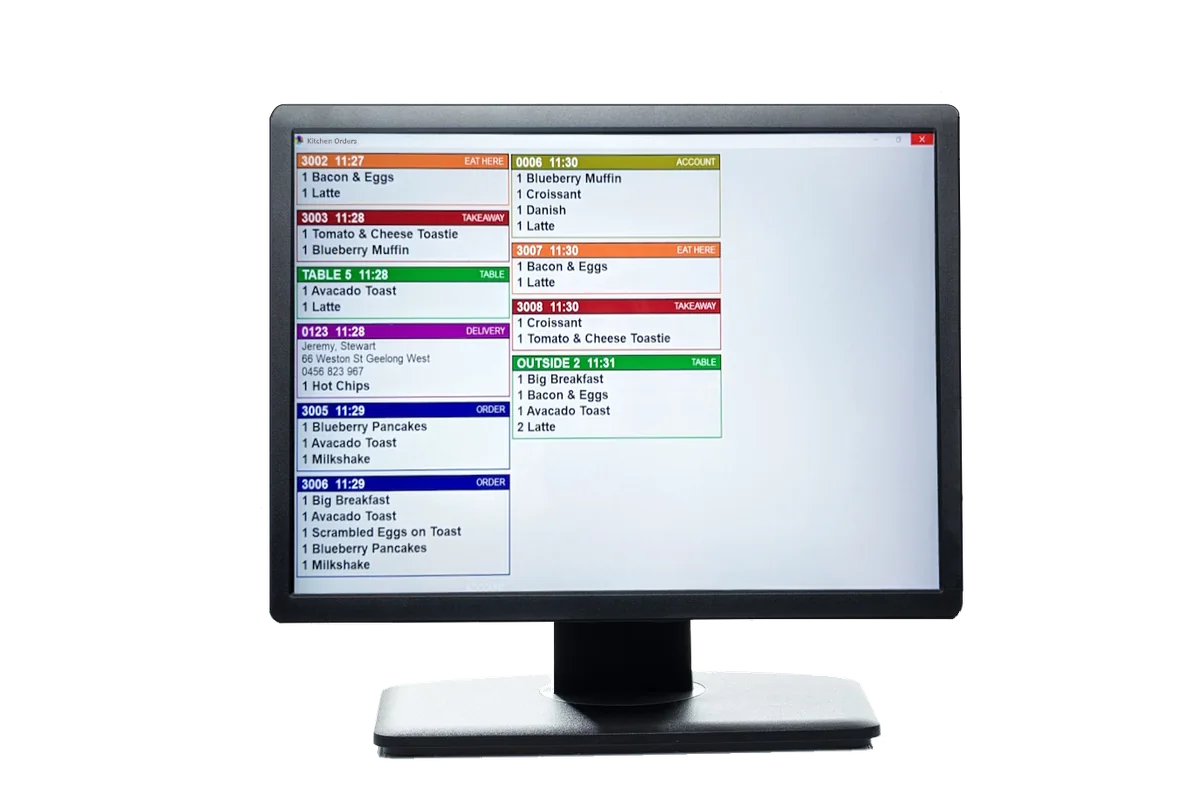
Kitchen
Clear orders, every time
- Kitchen printers and screens for each prep area
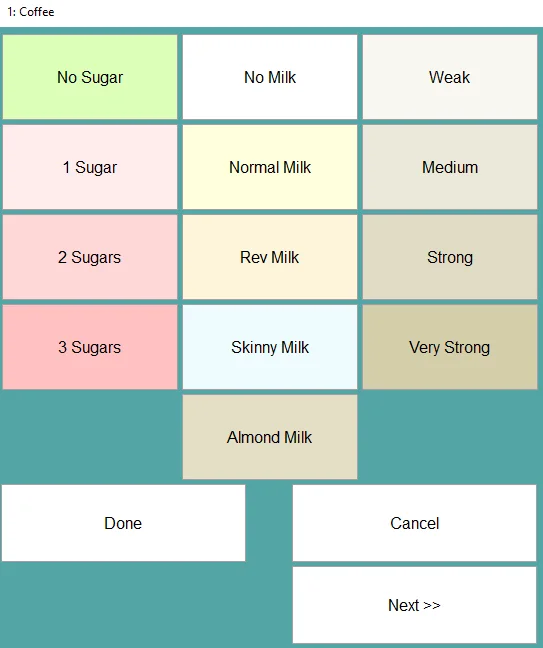
- Modifier lists with prices, minimums and maximums
- Mark a modifier sold out with one tap
- Delay an order until the kitchen’s ready
- Group items by category on the docket
Takeaway & delivery
Pickup and delivery without the chaos
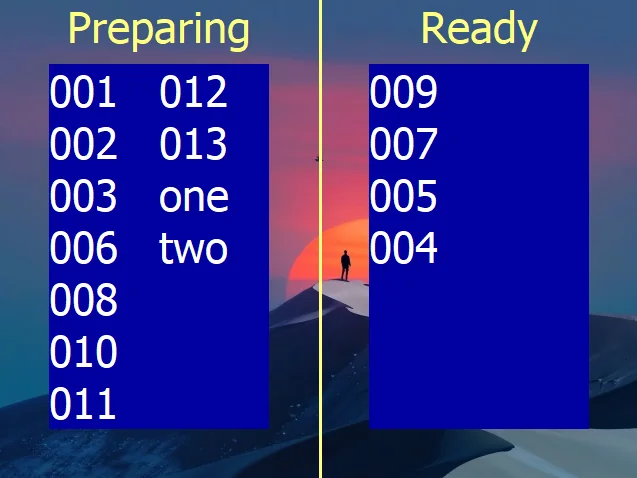
- Automatic order numbers, kept short so customers remember them
- A “Preparing / Ready” screen customers can watch
- Phone orders linked to the customer’s number and address
- Drivers, delivery dockets and an end-of-night summary
- Self-service kiosk – customers order and pay by EFTPOS
Pubs, clubs & bars
Built for busy nights
Happy hourPrice shifts that start and stop on the clock
Kegs & spiritsSell pots, pints and nips from bulk stock
TabsKeep a running tab on a table or order
SurchargesPer payment type, as a % or $
MembersCards, groups and member discounts
Quick log-onStaff log on with a PIN or card
Good questions
Hospitality questions, answered
Can staff take orders at the table?
Yes. NeoPOS runs on Windows tablets, so staff can take orders tableside and send them straight to the kitchen.
Do I need a kitchen screen?
No. Use kitchen printers, kitchen screens or a mix of both – the grill, fryer and bar can each have their own.
What happens if the internet drops?
You keep trading. NeoPOS runs on your own PC and network, not in the cloud. (Card payments still depend on your EFTPOS terminal’s own connection.)
See it on your own PC
Download the free trial and try NeoPOS with your own products. No card, no sign-up.